Bringing Netbooks into the Classroom – Part one (of several)

You know that any given technology has hit the mainstream when your grandmother starts telling you all about it. And so it well may be that most of us bare witness to the humble, netbook which has taken the technology world by storm since its debut in late 2007. Technology analysts forecast sales of up to 30 million of these pint-sized techno-beauties over the next twelve months, with exponential growth to follow.

So, witnessing this micro-miracle unfolding, it was with a somewhat smug sense of prophetic confidence that I told my boss early last year that netbooks would in due course surely mean big business for educators. Although it wasn’t hard to hedge bets in this area, I nonetheless acknowledge that the tea-leaves have been kind to me. It seems that governments, systems and schools are touting ultra-mobile, low-cost, low-power devices as the surest path to one-to-one computing in Australian schools.

So where does that leave us in the classroom? All too often, we see technologies being pushed by big agendas onto unwitting teachers and students – and of course, we know that often those agendas are more about profitability and everything supporting it (showiness, sponsorship, friendly deals, etc.) than about supporting learning and teaching. Perhaps for this reason, many skeptics argue that netbooks aren’t the best solution for technology-poor, cash-strapped schools.

I would argue that netbooks do have a lot to offer to those in education circles, particularly in schools that have an existing base of suitably powerful machines that can do specialist things like sound recording, movie making and photo-editing – when the need arises. Netbooks cost next to nothing, which makes the prospect of parents buying them more likely. Their puniness in size makes hauling the requisite class-set (for many of us, up to 32 or more in number) less onerous. They can do most of the things we do most of the time on bigger computers. However, because of their less-powerful nature, they actually make us appreciate all of the less wizz-bang things that computing technology has to offer (for example, instead of making a movie or recording a song, I’ll sit down and actually work out how to use Open Office).

For teachers and students, I believe the real beauty of netbooks lies in their being used to supplement rather than substitute good teaching. Let’s face it, if most of us had netbooks available to us every lesson, we’d probably think less about planning the occasional ‘technology’ lesson and more about getting on with the business of good old-fashioned teaching. If we get the teaching side of things right, netbooks could be a fantastic resource, sitting snugly on the corner of a student’s desk, to be used where and when appropriate. Most importantly, this kind of technology needn’t be all-consuming (like playing a video of The Wiggles to a two year old). Don’t get me wrong – I’m all for being immersed in the world of technology – when real learning is happening. Problem is: plenty of teachers are happy to book computer labs with lessons that involve little more than searching in Google, cutting from Wikipedia and pasting in Word.

Perhaps the tiny size of the netbook serves as a reminder that good teaching should take centre stage before technology makes an appearance in our classrooms? In any case, I’m a supporter of netbooks both in my classroom and in classrooms around the developing and developed world. It’s going to be an interesting time as we watch politics, the economy and governments’ agendas being played out.

Lucky for me, while all of this is happening, I have a principal that listens to my advice. We’ve recently bought a few Acer Aspire One netbooks to try out with the kids and if things go well, we’ll go ahead and buy our first netbook trolley. This should be a really interesting time as technology makes its way into more and more classrooms.
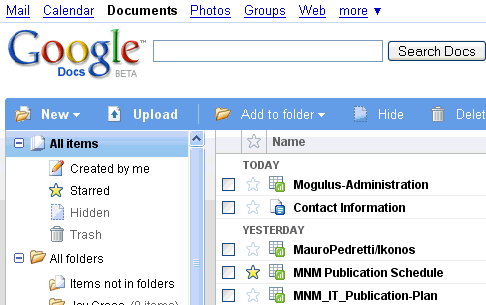
Getting Started Collaborative Writing with Google Docs – Year 7 Connected Learning

Google Docs
Google Docs

Being an occasional blogger, I struggle with the pitfalls and perils of not maintaining an online presence as frequently as many of my blogging colleagues. Perfectionism is always a dangerous thing for bloggers, is it not?

But when I hurled myself headlong into our new Connected Learning (an integrated curriculum) program and introducing Google Docs to over 180 Year 7 students last month, I thought I had found a worthy topic to resume my online pedagogical ramblings. For anyone who is unaware, an integrated curriculum usually combines several subjects into one large subject, which is often team-taught in larger classroom settings and may focus on themes which connect skills and content from the different disciplines being combined. Our integrated curriculum combines the subject areas of English, History, Geography and Religious Education.

We are currently in the throes of a unit entitled ‘My World’ which is mostly skills-based. What a good time, I thought, to introduce Google Docs?

Word to the wise: never assume that junior high school kids are capable of: (1) starting a Google account and verifying their email address; (2) spelling their email addresses; or (3) remembering their passwords. Had I the time over, Google Apps – which allows a teacher or education administrator to set up a school domain name and bulk email addresses – is a  good option for getting kids online, especially when trying to work with 180 of them at once in a large learning space. But at least our kids learned that when you don’t spell correctly, verify an email account inquiry or remember your password (or any combination of these), you can’t expect to get on and start an assignment. Such learning curbs – priceless though they may be – also leave many a teacher with a hankering for ‘a valium sandwich,’ to quote one of my Connected Learning Colleagues.

Nevertheless, after about 4 50-minute lessons, much moaning, groaning and gnashing of teeth, we had our entire Connected Learning cohort online, Google Doc’ing and collaborating in a real time frenzy of creativity.

If you haven’t had the chance to trial collaborative writing with your students, I thoroughly recommend it. If you have, I’d love to hear about some of the activities you’ve tried.

Slam that poem!

poetry_slam0

As the year comes to a close, many teachers tend to become a little sentimental and melancholic about  letting go of classes we’ve enjoyed so much. Without a doubt, the pride of my teaching joy this year has been my year 8 English class. Consisting of students who have been identified as major trouble-makers in other subjects, I’ve been delighted to have no significant issues with behaviour or attitude to school work. It seems that using technology in a (hopefully) dynamic and innovative way, incorporating substantial choice and responding to students’ initiatives with flexibility and leighway have all worked in my favour. Now I just have to get ready to say goodbye to the kids! 🙁

Here’s a video on a unit that we all had a lot of fun with. The topic was entitled ‘Poetry Slam’ and explored how performance poets and hip-hop artists communicate their frustration about problematic issues in society through verse, rhythm, rhyme and music. A few other year 8 teachers also picked up this topic and the result was that the kids had quite a positive PBL-like experience that didn’t necessarily count towards their grade but that had them quite engaged, as you’ll see.

These podcasts and the reflection come courtesy of GarageBand and iMovie, both of which the kids found very easy to use:

[youtube=http://au.youtube.com/watch?v=Yjcz1L8BNxQ]

Wikipedia and Meta-textuality


For too long I’ve bemoaned the presence of an overwhelming number of teachers, administrators and academics who grumble about students going to Wikipedia for information on a topic. Typical complaints include “you can’t be sure whether the facts are true or not,” “the authors lack credibility” and so on…

What these educators who are afraid of Wikipedia seem to miss is the fundamental point that Wikipedia has almost single-handedly redefined authenticity by virtue of creating a platform for collaborative writing that traverses boundaries; be they cultural, linguistic, political, or geographical. Time and time again, we realise that when two, ten, several hundred or a thousand authors get together to combine their expertise on any given topic, the result is far from unautentic, spurious or even poorly written. If anything, it’s possible to argue that a multiply-authored work in progress informed by univsersal freedom of speech is about as credible or authentic as you can get.

Needless to say, I’m a big fan of Wikipedia and promote it in all my classes. Having said that, there is a possibility that when kids superficially skim any factual information page, they’re missing the point: to blindly accept something after one reading without question (which we unfortunately reinforce at times) is equally dangerous.

So how do we really begin with Wikipedia in our teaching? I think that meta-textuality is a crucial concept for kids to understand if they are going to critically engage with Wikipedia pages in the way that we would like.  The fact is, with any page that we find on Wikipedia.org – the “discussion” tab is often more insightful than the main article. Just read the discussion page on Madonna, for instance, and you get a strong sense of how that page was constructed – the numerous points of disagreement, the delineation of sub-topics, the inappropriate wording and so on. Such a focus is a unit of work in itself!

Taking all of this on board, I wrote a Wikipedia analysis scaffold to get students thinking about how best to make critical use of Wikipedia pages. Feel free to download the DOC file and adapt to your needs. I’d also love to hear about what you do with Wikipedia in the classroom!

Wikipedia Analysis Scaffold

An Open House for Open Source

ubuntu studio

Who would have thought that with Windows Vista fast going down in history as the slowest, most cumbersome and least intuitive operating system, that a solution was right under my nose all along? Up until last weekend, I’d long since known about Linux, but had put off giving it a try – making every excuse from concerns about navigating through the technical difficulties of installation, to my rustiness with unix commands, to finding enough space on my PC hard disk.

But finally, my moment arrived and I took the plunge. The final incentive? When browsing a wikipedia page on one of the most common distributions, Ubuntu, I discovered a spin-off distribution by the name of Ubuntu Studio. For anyone unfamiliar with this distribution (or with Linux in general), Ubuntu Studio combines a very formidable set of open source audio and video applications, allowing the user to do just about everything: score-writing, accessing software instruments, sequencers, multi-track recording, along with image editing and video production. Best of all, the whole operating system is designed for audio/video production, which means that applications have CPU priority where they wouldn’t in other OS environments. Once I took a look at all the applications available from the start menu straight after installation, my eyes glazed over. Scary to think of all the possibilities, isn’t it?

As a humble teacher (and part-time bedroom musician), this will take some time to get my head around, both technically and conceptually. Audio/video software has long been the domain of companies with extremely wide profit margins, pushing many would-be students, musicians, small-time producers and artists into obtaining pirated software via torrents and in copyright-lax countries like China and Indonesia (leaving aside the issue of the average Indonesian needing to sacrifice an entire six-month salary to afford legal software for themselves in the first place).

Open source is fast taking over the world because its simple democratic principles of free-choice and freedom of speech mean that the operating systems and applications just keep getting better and better. The big question to ask now is – how can I use this in the classroom? Any thoughts?

Fifteen minutes of fame…

Some say that Andy Warhol was a visionary when he predicted in 1968 that “in the future, everyone will be world-famous for 15 minutes.” With the explosion of web 2.0 and the constant demands of maintaining the interest of the online world’s alarmingly short collective attention span, sensationalism of the kind Warhol may have been thinking certainly reigns supreme.

The main question is, then, how does one plan on spending this technologically- assured window of opportunity? Having recently purchased eight digital cameras for my school, I’m delighted to see that by bringing filming into the classroom, we can teach our kids to do much more than set up 24 hour webcams in their bedrooms or film themselves doing chicken dances to broadcast to the world. In Year 8 English, we’ve been exploring some of the rudiments of Project Based Learning through a film activity which involves developing and filming a pretend news program. Students assume one of the following roles (the numbers and natures of which can be adjusted to suit your class):

Graphic designers

Floor manager

Reporters (local interest, overseas, weather, entertainment, political, etc.)

Director

Editors

Camera operator

Musicians/composers

Here’s a video of my class discussing some of their roles and some of the footage from the final cut:

[youtube=http://www.youtube.com/watch?v=FsWXxUNFDQc&hl=en]

Each role has a clear set of responsibilities which can either be specified on a role sheet or negotiated at some point. Students need to understand their role in the context of other students’ roles and navigate through the various obstacles that naturally get in the way of bringing the program “to air.”

Perhaps not surprisingly, kids take this kind of activity very seriously, as it relates strongly to real life circumstances, is a lot of fun and allows them to tap into their own “fifteen minutes of fame.”

Musical Mashups and Radiohead

Thom Yorke

Since the start of my life as a high school Music teacher five years ago, I’ve been steadily exploring the potential of multi-track recording (recording, editing and mixing audio files) in the classroom. It’s amazing to note how technology has really made this accessible in recent years. What was formerly the domain of cashed up producers and musicians mortgaged to the eyeballs is now in the reach of anyone with a computer, microphone, pair of headphones and freeware program like Audacity. It’s also interesting to read and hear about non-Music teachers who are using multi-track recording to create radio-plays, advertisements and other interesting audio podcasts. Still, what’s got my attention in this exciting and unpredictable world of web 2.0 is the “mash-up” potential of what we create. In multimedia circles, this might mean creating a piece of music incorporating midi material from the wonderfully free and ever improving Finale Notepad in an Audacity project. The resulting mix-down might be imported into iMovie or Moviemaker, along with an animation from humble but effective programs like Monkeyjam (for stop-motion animation using a webcam and anything from plasticine to Barbie dolls) or Pivot Stick Animator.

What’s really exciting for me as a Music teacher, is British band Radiohead’s recent decision (read the BBC article) to release their second single “Nude” as a series of individual instrument tracks with accompanying project files for Garage Band and Logic. What an incredible creative decision – to share the composition process with one’s fans!

Lucky for me – I’m a devoted fan and have quite a few Music students in my classes who are like-minded. We’re going to have fun next term!

Watch this space!